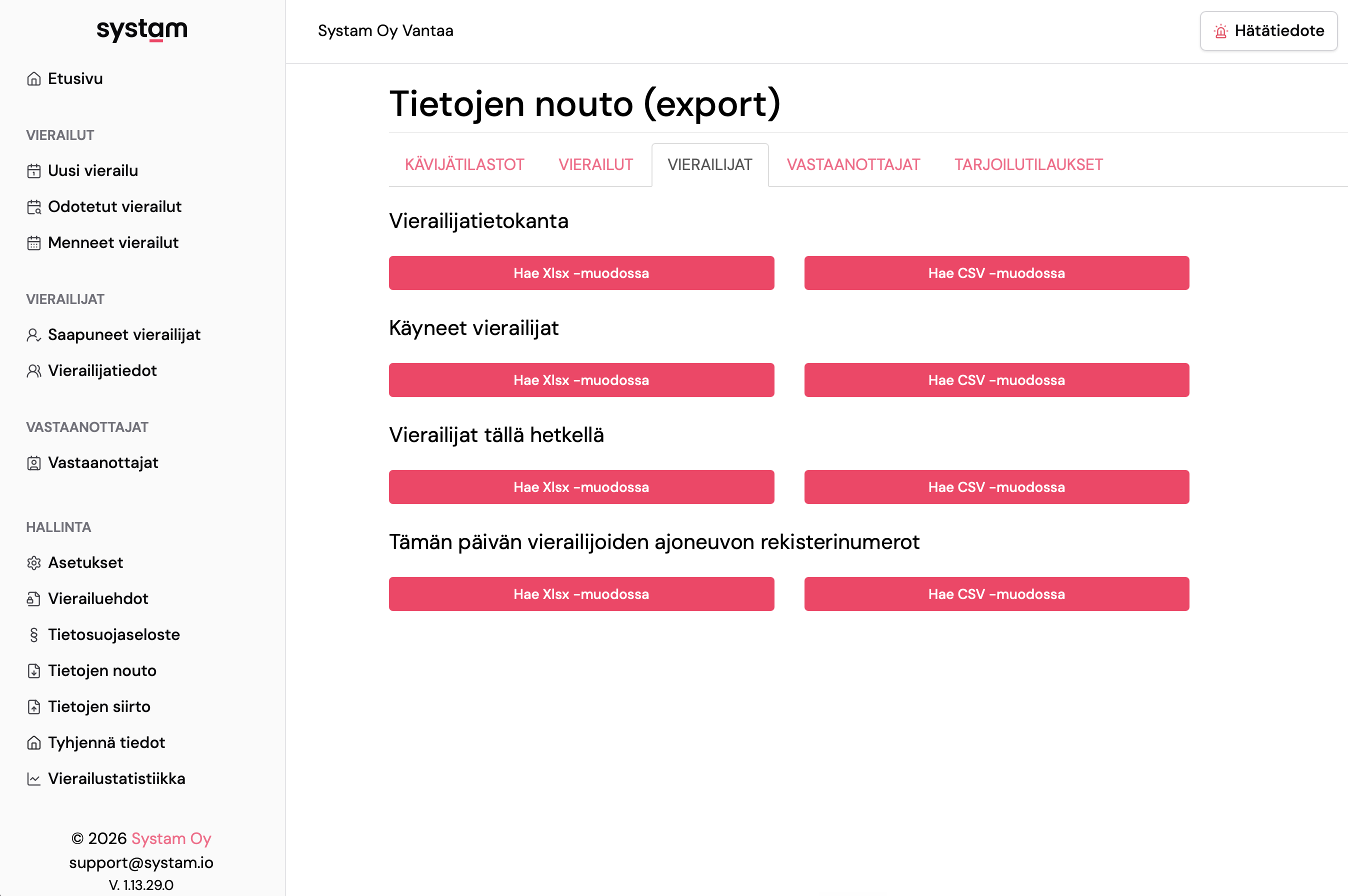
In Systam Visit you can export data out of the service and import large sets of data in. Both functions are in the left-side Management menu under Export data and Import data.
Permissions
| User level | Data export | Data import |
|---|---|---|
| Administrator | All tabs | Visitors and hosts |
| Officer | Visitor statistics, current visitors, today's vehicle registration numbers, catering orders | – |
| User / host | – | – |
Administrators see the full history and all stored people. Officers see only real-time data.
Data export
Data is grouped into tabs by type. Every export is available as XLSX or CSV.
Visitor statistics
A daily summary of visits over the chosen date range. Pick the dates from the calendar or type them into the date fields. Leave the range empty to export the full history.
Visits
- Past visits — sign-ins that have already happened
- Expected visits — upcoming visits scheduled in the calendar
Visitors
For administrators:
- Visitor database — all visitors stored in the service
- Past visitors — visitors with visit history
- Current visitors — visitors signed in right now
- Today's visitor vehicle registration numbers
Officers see the bottom two lists.
Hosts
Stored people — all hosts stored in the service.
Catering orders
Catering orders is an add-on feature. Contact Systam sales or support to enable it. When active, pick the date range from the calendar or type the dates in. An empty start date returns the orders from the past month, an empty end date limits the range to today.
Data import
Use import to bring in a large set of visitor or host records at once. This speeds up tasks like setting up a new site or refreshing your host list.
- Download the .xlsx template from the Import data view, either for visitors or for hosts.
- Fill in the columns with your own data. Keep the header row in place.
- Save the file as .xlsx or .csv.
- Pick the file with Select file and click Import file.
- Review the preview and confirm the import with the transfer button. You'll see a message when the import succeeds.
Import is available to administrators only.
Personal data
Exports include personal data. Handle and store the files according to your organisation's privacy policy, and delete local copies once you no longer need them.
Your data is ready to go out with a couple of clicks, and bigger imports are just a template away.
Was this article helpful?
That’s Great!
Thank you for your feedback
Sorry! We couldn't be helpful
Thank you for your feedback
Feedback sent
We appreciate your effort and will try to fix the article